How to Permanently Delete UPI AutoPay & Stop Unwanted Recurring Payments (NPCI Update) 2026

India’s Unified Payments Interface (UPI) has transformed digital payments fast, secure, and widely used. One key feature enabled by the National Payments Corporation of India (NPCI) is UPI AutoPay, also called e-mandate.
This lets users set up recurring payments for services like OTT subscriptions (Netflix, Hotstar), mobile bills, mutual funds, EMIs, insurance, and more automatically charged every month without needing to enter a UPI PIN each time.
While AutoPay is useful and convenient, many users face an issue:
Unexpected deductions continue even when they think the subscription is inactive, or they forget where they approved the mandate. This causes frustration, especially when money is deducted from the bank account without clarity.
To address complaints and give users more control over recurring charges, NPCI has recently introduced a new central portal UPIHelp (upihelp.npci.org.in). This lets users view, manage, and permanently delete AutoPay mandates in one place.
Why Users Face AutoPay Problems
Before this update, recurring UPI charges could be approved in any UPI app like PhonePe, Google Pay, Paytm, etc., and users had to manually cancel them from that specific app. Many users:
- Didn’t realize a mandate was activated during a trial offer.
- Uninstalled the app but AutoPay remained active -uninstalling the app doesn’t cancel the mandate.
- Couldn’t find all active mandates in one view across different banks or apps.
This led to surprise deductions and complaints about difficulty in tracking subscriptions.
NPCI’s New Update: Central Mandate Management
NPCI has now launched a centralized portal at upihelp.npci.org.in that allows users to:
- View all active UPI AutoPay mandates across banks and apps
- Cancel unwanted mandates
- See transaction history and details
- Manage recurring instructions in one place without juggling multiple apps.
This simplifies control and prevents unwanted automatic debits from your bank account.
Step-by-Step:
How to Permanently Delete UPI AutoPay (Using NPCI UPIHelp Portal)
Open your browser and go to:
⇒https://upihelp.npci.org.in/ (the official NPCI UPI help portal)

Enter your registered mobile number linked to your UPI ID.
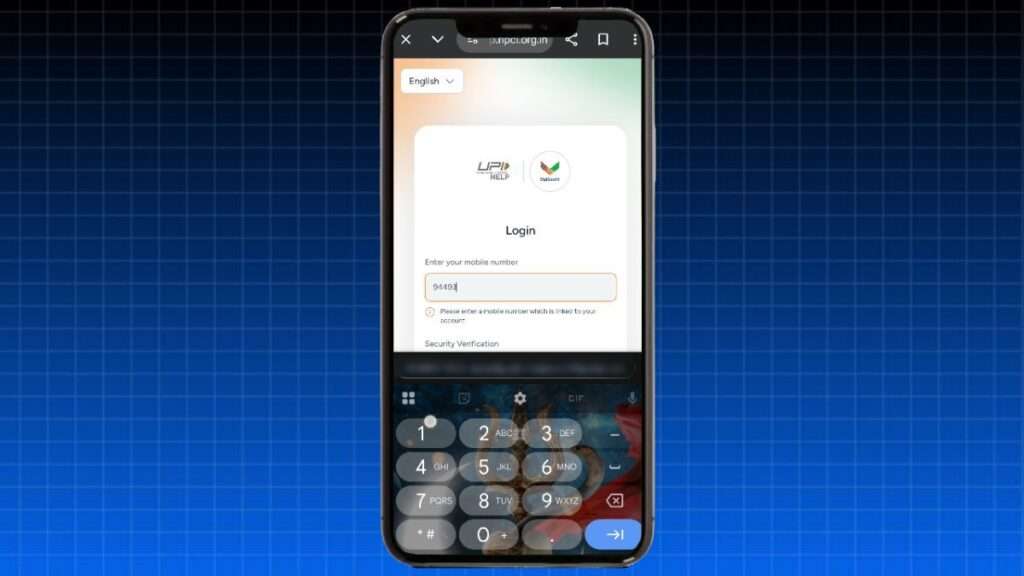
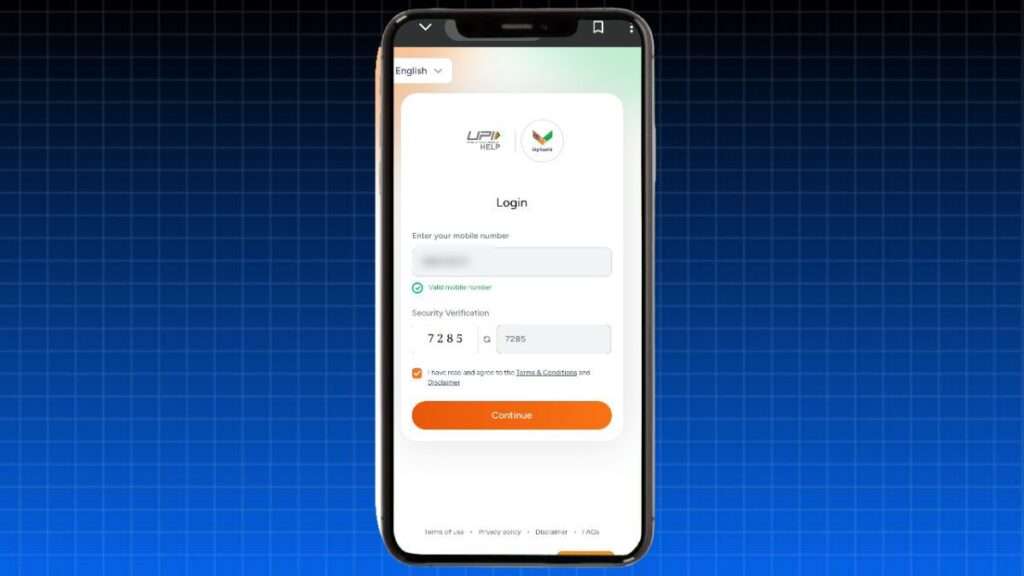
Security Verification & Continue
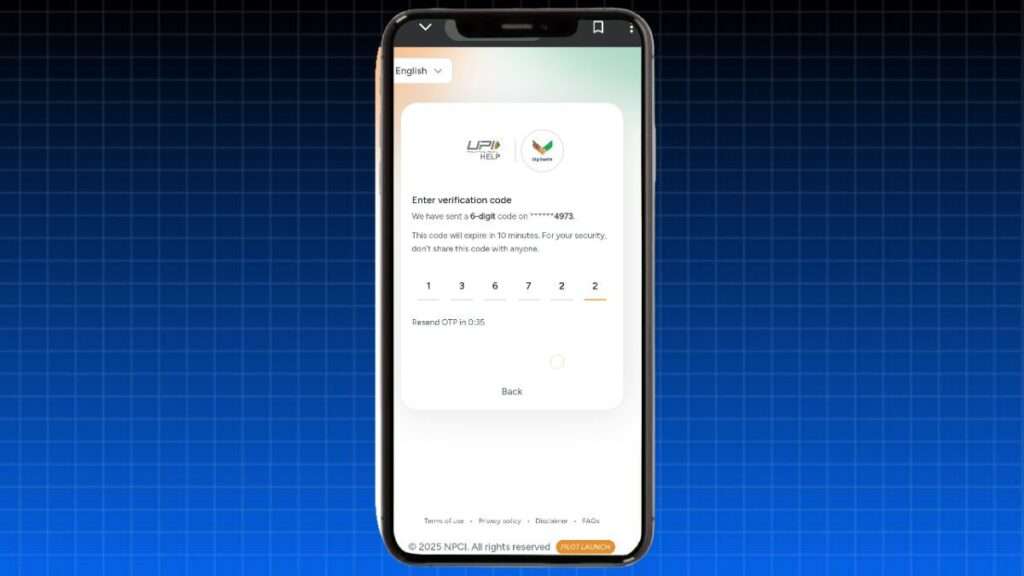
Authenticate with the OTP sent to your phone.
Look for the option: “Show my AutoPay / UPI mandates”
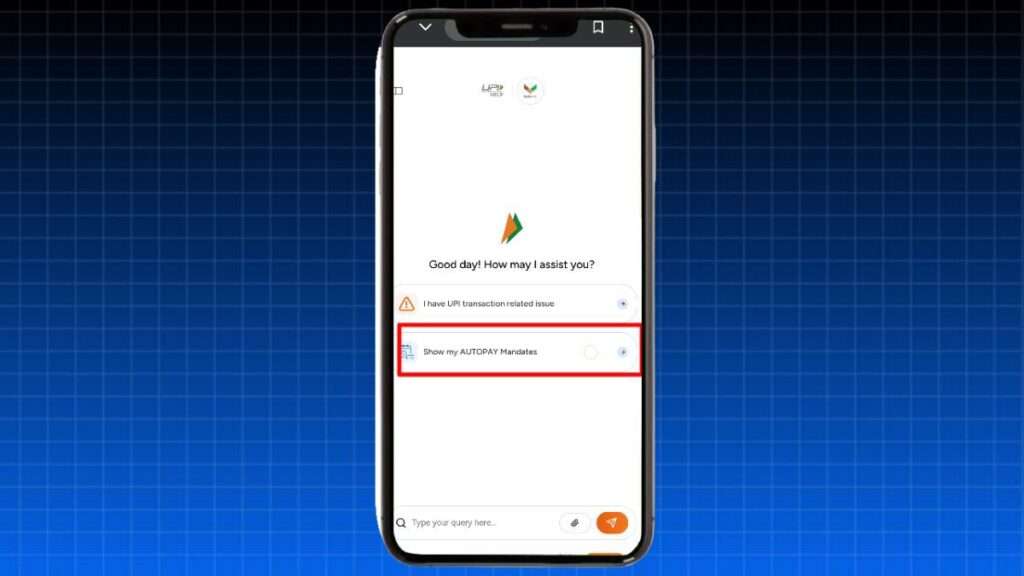
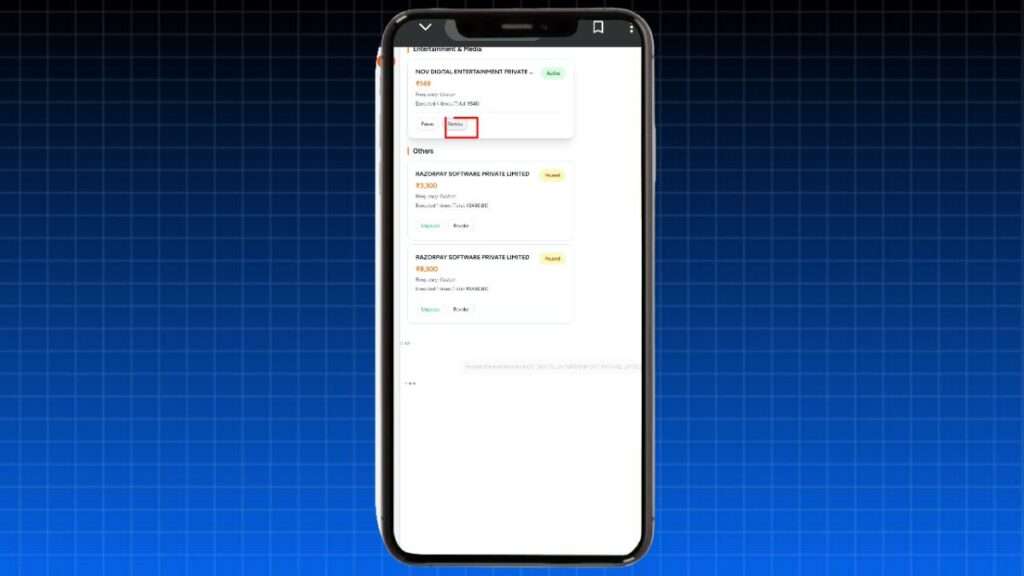
this will list all your active recurring payment mandates from all UPI apps.
Identify the mandate(s) you want to remove (e.g., OTT subscriptions, app subscriptions).
- Next to each mandate, tap Cancel / Delete.
- Confirm the cancellation when prompted.
- Your recurring payment will be stopped permanently.
After cancellation, you should receive a confirmation that the AutoPay mandate is revoked.
Alternative: How to Cancel AutoPay from UPI Apps
If you prefer cancelling in the app where you originally set the recurring payment, you can also do it there:
- Open Google Pay.
- Tap your profile → Settings → Recurring Payments / AutoPay.
- Choose the mandate → Cancel → Enter UPI PIN to confirm.
- Open PhonePe.
- Go to Profile → AutoPay / Auto Debit / Mandates.
- Select the subscription → Cancel AutoPay → Confirm with UPI PIN.
- Open Paytm.
- Go to UPI & Payment Settings → Automatic Payments.
- Select the mandate → Cancel Automatic Payment → Enter UPI PIN.
Note: Your UPI apps “Mandates” section might show fewer entries than the NPCI portal, because it displays only those set up from that app. The central UPIHelp portal shows all in one place for easier management.
Important Notes
- Cancelling a mandate stops future deductions, but it does not automatically refund past charges already processed. For refunds, you may need to contact the merchant or app.
- Uninstalling payment apps doesn’t cancel AutoPay → mandates remain active until manually revoked.
Read This Article Also: Best Deals & Price Drop Alerts Price History Tracker App
Conclusion: The NPCI AutoPay feature was designed to make recurring payments easier, but lack of visibility and decentralized management caused users to lose track of ongoing subscriptions leading to unwanted deductions.
With the new NPCI portal (upihelp.npci.org.in), you now have a single place to view, manage, and permanently delete UPI AutoPay mandates giving you full control and peace of mind. Follow the steps above, add your screenshots for clarity, and help your audience stop unnecessary auto-debits effortlessly.
About The Author