Smartphone heating while charging is one of the most common problems faced by daily mobile users across the world. Almost everyone has experienced a phone becoming warm or even uncomfortably hot during charging.
While a slight increase in temperature is normal, excessive heating is a warning sign that should never be ignored. This issue affects both old mobile phones and new smartphones with advanced features.
Understanding why phones heat up during charging, what mistakes users make daily, and how technology handles battery safety is essential for long-term device health and user safety.
What Does Phone Heating While Charging Mean?
When a phone heats up during charging, it means electrical energy is being converted into heat along with stored power. Lithium-ion batteries, which are used in modern smartphones, naturally produce some heat during charging.
However, abnormal heating indicates:
- Inefficient power transfer
- Battery stress
- Hardware or software problems
- Unsafe charging habits
Continuous overheating can reduce battery lifespan, slow down phone performance, and in extreme cases, cause battery swelling or damage.
Common Causes of Phone Heating During Charging
1. Using Low-Quality or Fake Chargers
One of the biggest reasons for phone heating is the use of non-original or cheap chargers. These chargers often lack proper voltage regulation and safety circuits, causing unstable power flow.
Effect:
- Overheating of battery
- Damage to charging IC
- Long-term battery degradation
2. Fast Charging Technology
New smartphones support fast charging, super fast charging, or turbo charging. While these technologies save time, they push higher current into the battery.
Important fact:
Fast charging is safe only when:
- Original charger is used
- Phone temperature is controlled
- Software is optimized
Otherwise, heat generation increases rapidly.
Read This Article Also: Best Deals & Price Drop Alerts Price History Tracker App
3. Phone Usage While Charging
Using the phone for:
- Gaming
- Watching videos
- Video calls
- Mobile data or hotspot
while charging causes double heat generation one from charging and another from processor usage.
4. Poor Ventilation and Environment
Charging the phone:
- On beds or pillows
- Inside bags
- Under direct sunlight
blocks heat dissipation. Phones are designed to release heat through their body, and blocking airflow traps heat inside.
5. Old Mobile Phones and Battery Aging
As phones age:
- Battery efficiency reduces
- Internal resistance increases
- More heat is produced during charging
Old batteries cannot handle high current like new ones, especially with modern fast chargers.
6. Software Bugs and Background Apps
Sometimes heating is not hardware-related. Background apps, malware, or unoptimized software updates can cause high CPU usage during charging.
Daily User Mistakes That Cause Heating
Many users unknowingly damage their phones by repeating these habits:
- Charging overnight daily
- Using phone while charging
- Using cracked or damaged cables
- Charging from power banks of unknown quality
- Ignoring system updates
- Charging in hot rooms
These mistakes slowly reduce battery life and increase heating issues.
Difference Between Old Phones and New Phones
Old Mobile Phones
- Slower charging technology
- Less heat management
- Weak battery protection circuits
- More prone to overheating
New Smartphones
- Advanced thermal control systems
- AI-based charging optimization
- Temperature sensors
- Adaptive charging
However, even new phones can overheat if used carelessly.
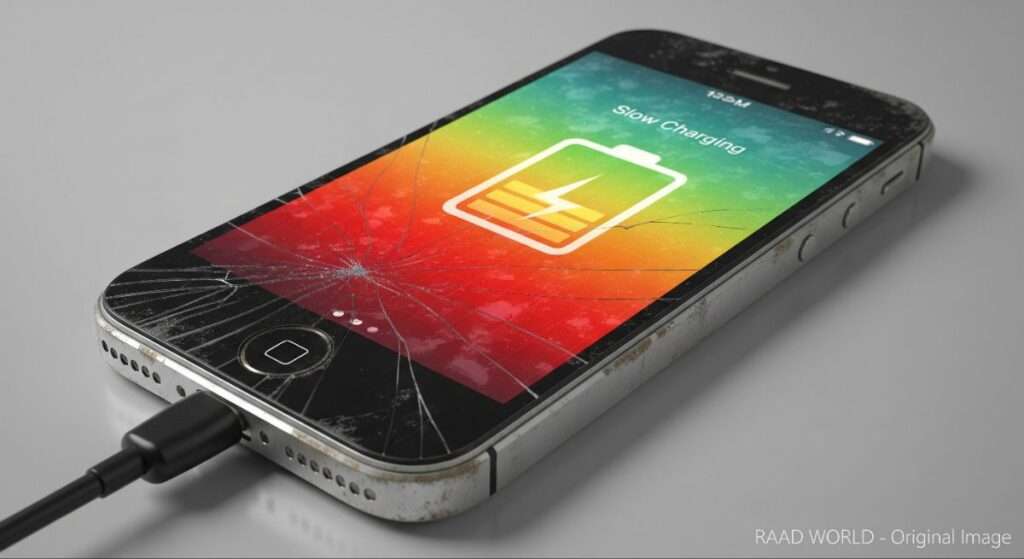
Real and Practical Solutions for Phone Heating
1. Always Use Original or Certified Chargers
Use the charger and cable provided by the manufacturer or certified alternatives.
2. Avoid Using Phone While Charging
Let the phone rest while charging, especially during fast charging.
3. Remove Phone Case During Charging
Thick cases trap heat. Removing them improves heat dissipation.
4. Charge in a Cool and Open Area
Place the phone on a hard, flat surface away from sunlight.
5. Disable Fast Charging If Not Needed
Many phones allow users to turn off fast charging in settings. Slow charging produces less heat.
6. Keep Software Updated
Software updates often include battery optimization and thermal control improvements.
7. Replace Old Batteries
If your phone is more than 2–3 years old and heats excessively, battery replacement is a safe and effective solution.

When Should You Be Worried?
Seek professional help if:
- Phone becomes extremely hot to touch
- Battery drains very fast
- Phone shuts down during charging
- Battery swelling is visible
These are signs of serious battery or hardware failure.
Read This Article Also: Artificial Intelligence
Conclusion: Phone heating while charging is not always dangerous, but ignoring it can lead to serious problems.
Most heating issues are caused by user habits, low-quality accessories, and lack of awareness. With correct charging practices, proper accessories, and basic care, both old and new smartphones can stay safe, efficient, and long-lasting. Smart usage is the best protection for smart devices.
About The Author