WhatsApp has become one of the most popular communication platforms in India. Millions of people use it every day to chat with family, friends, businesses, and service providers.
Unfortunately, cyber criminals also use WhatsApp to target unsuspecting users through fake messages, malicious APK files, phishing links, and social engineering scams.
Several viral social media posts warn users to delete certain WhatsApp messages immediately. While these posts often use dramatic language, the scams they describe are real. Government agencies, banks, and cyber security organizations have repeatedly warned users about these frauds.
This article explains the five most common WhatsApp scam messages, how they work, and how you can protect yourself.
1. Fake Parcel Delivery Messages
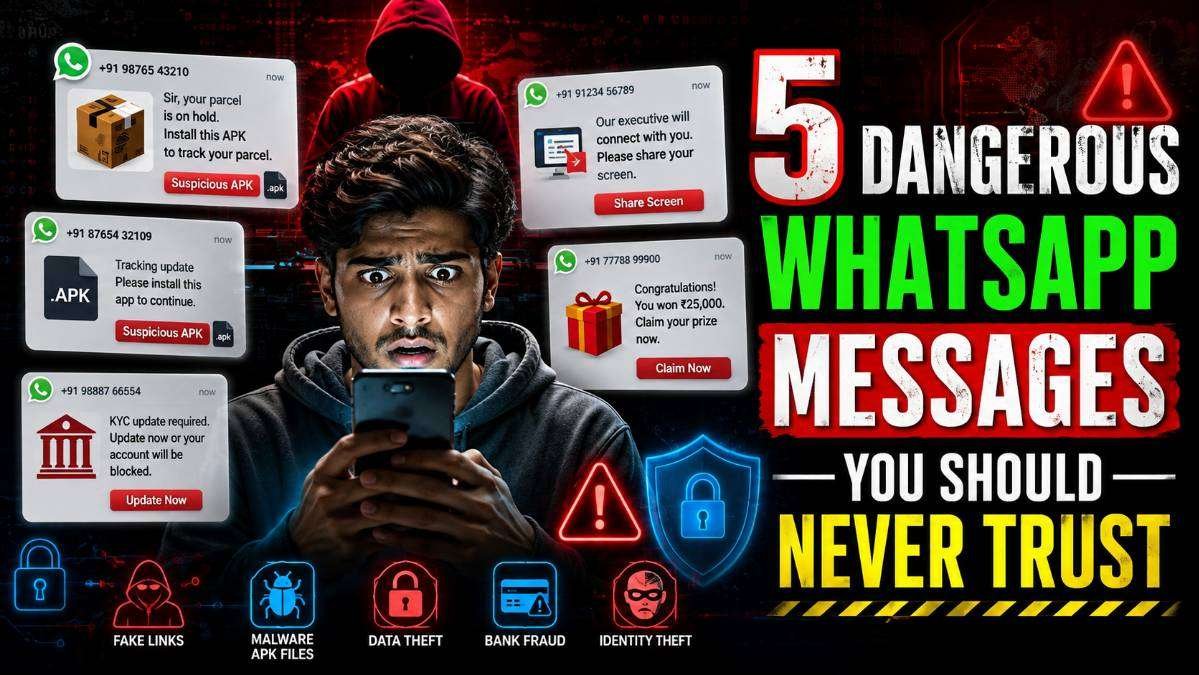
One of the fastest-growing scams involves fake courier or parcel delivery notifications. Victims receive messages claiming their parcel is on hold or cannot be delivered unless they install an application or pay a small fee.
These messages usually include a suspicious link or an Android APK file. Once installed, the fake application can request dangerous permissions such as reading SMS, accessing contacts, viewing notifications, and controlling accessibility settings. This allows criminals to steal OTPs, passwords, and banking information.
Legitimate courier companies do not ask customers to install APK files through WhatsApp. Always verify shipment details using the courier’s official website or mobile application.
READ THIS: WhatsApp Status Caption Edit Feature How to Edit Status Captions Without Deleting the Status
Warning Signs
- Your parcel is on hold.
- Install this APK to track your package.
- Pay a small delivery fee immediately.
- Urgent action required.
2. APK Installation Scams
An APK file is an Android application package. While APKs themselves are legitimate, scammers often use them to distribute malware.
Fake APKs may pretend to be:
- Courier tracking apps
- Bank KYC applications
- Government scheme apps
- Electricity bill payment apps
- Traffic challan verification apps
- Wedding invitation apps
Once installed, these applications may secretly steal SMS messages, banking credentials, personal photographs, and login details.
Download apps only from trusted sources such as Google Play Store or official company websites.
3. Fake Bank KYC Update Messages
Cyber criminals frequently impersonate banks by sending messages claiming that your KYC has expired or your account will be blocked.
These messages often create panic by saying immediate verification is required. Victims are then asked to install an application, click a phishing link, or share confidential banking information.
Remember that banks never ask customers to share:
- OTP
- Debit card PIN
- Credit card CVV
- Internet banking password
- UPI PIN
Always complete KYC updates only through your bank’s official website, mobile app, or branch.
READ THIS: Google Selfie Video Account Recovery New Security Feature
4. Screen Sharing and Remote Access Scams
Fraudsters often pretend to be customer support executives from banks, payment apps, or telecom companies.
They ask victims to install remote access applications like AnyDesk or TeamViewer, claiming they need to verify the account or process a refund.
After gaining remote access, scammers can watch everything happening on your phone or computer, including passwords, OTPs, and banking transactions.
No genuine bank or government agency will ask you to install remote-access software for customer support.
5. Fake Lottery and Prize Messages
Messages claiming you have won ₹25,000, a smartphone, or a lucky draw prize are classic phishing scams.
These messages usually ask users to:
- Click a suspicious website
- Pay a processing fee
- Share banking details
- Install an application
If you never entered a contest, you almost certainly did not win a prize.
READ THIS: Google Account Email Change Feature How to Change Your Gmail Address
How to Identify Suspicious WhatsApp Messages
- Unexpected APK files
- Unknown links
- Urgent payment requests
- Threats to block your account
- Messages requesting OTP or PIN
- Requests to install apps outside Google Play Store
- Poor grammar and spelling mistakes
- Unknown international numbers
How to Stay Safe
- Never install APK files received through WhatsApp.
- Download apps only from trusted sources.
- Never share OTP, PIN, passwords, or UPI PIN.
- Verify messages directly with the official company.
- Enable two-step verification on WhatsApp.
- Keep Android and applications updated.
- Block and report suspicious accounts.
READ THIS: WhatsApp Web Voice & Video Calling Encrypted Browser Calls
What Should You Do If You Become a Victim?
If you accidentally click a malicious link or install a suspicious APK, act immediately.
- Disconnect your device from the internet.
- Uninstall the suspicious application.
- Change important passwords using another trusted device.
- Inform your bank immediately if banking information was exposed.
- Call the National Cyber Crime Helpline at 1930.
- Report the fraud through the National Cyber Crime Reporting Portal.
Official Safety Advice
Indian Cyber Crime Coordination Centre (I4C), CERT-In, RBI, and several banks continue to warn users against APK scams, phishing attacks, fake KYC requests, lottery fraud, and remote-access scams. These attacks rely on creating panic or excitement to trick victims into sharing sensitive information.
Remember that genuine organisations will never ask you to share OTPs, banking passwords, or install applications through WhatsApp.
Conclusion
The viral social media claim about deleting dangerous WhatsApp messages is largely based on real cyber security threats. However, the real danger is not simply receiving the message it is interacting with it by clicking links, installing APK files, sharing OTPs, or granting remote access.
Whenever you receive an unexpected WhatsApp message asking for urgent action, stop and verify it through official channels. Staying cautious and following official cyber security guidance can help protect your personal information, bank accounts, and digital identity from online fraud.
Source: Indian Cyber Crime Coordination Centre (I4C), CERT-In, Reserve Bank of India (RBI), and official banking cyber safety advisories.
About The Author