How to Check if Your SIR 2026 Enumeration Form Has Already Been Submitted by BLO Official ECI Guide
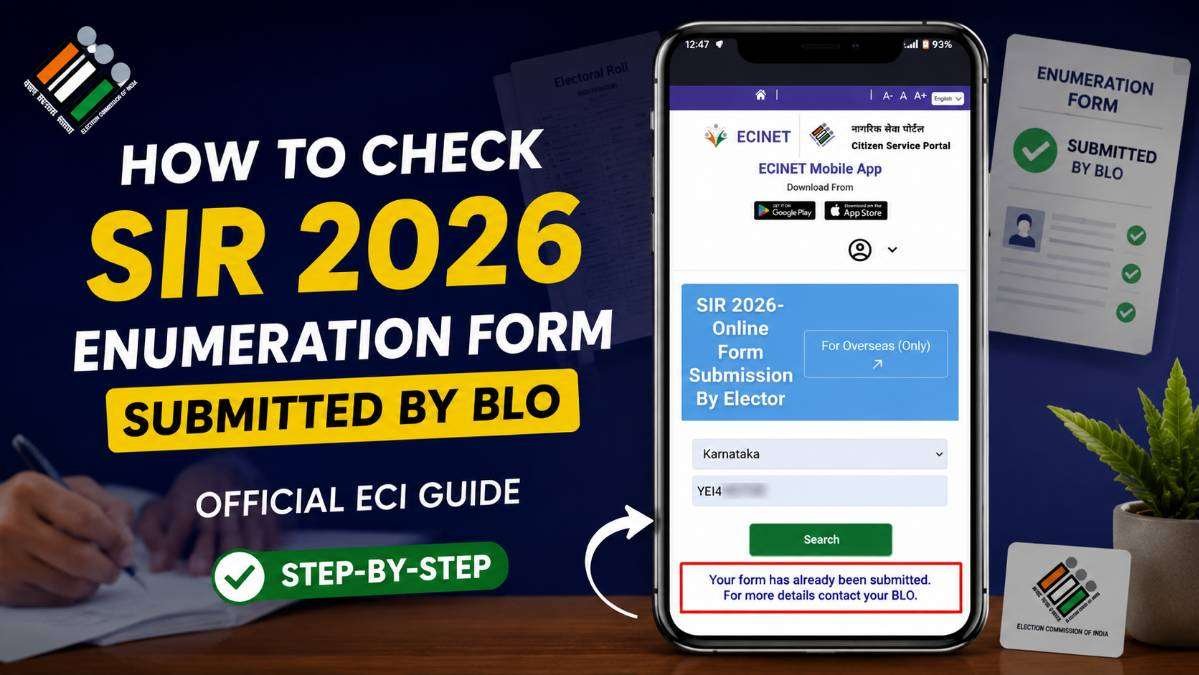
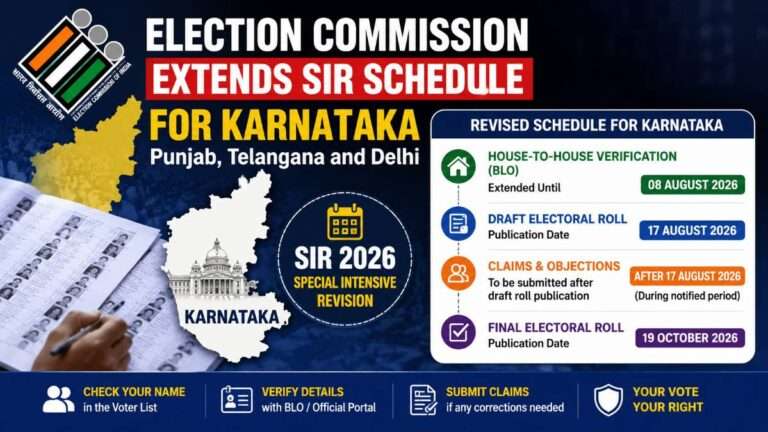
The Election Commission of India (ECI) has introduced the Special Intensive Revision (SIR) 2026 process to update and verify electoral records across the country.
As part of this initiative, eligible voters may be required to submit an Enumeration Form. In many cases, Booth Level Officers (BLO) visit voters at their homes, collect the required information and supporting documents, and later upload the details through the official Election Commission system.
After handing over the form to the BLO, many voters have one important question: Has my BLO actually submitted my Enumeration Form? Fortunately, the Election Commission provides an official online method to verify this. This article explains the complete process using only the official ECI Citizen Service Portal.
What Is the SIR 2026 Enumeration Form?
The SIR 2026 Enumeration Form is part of the Special Intensive Revision programme conducted by the Election Commission of India. The purpose of this exercise is to verify voter information, update electoral records where required, and ensure that the electoral roll remains accurate and up to date.
During this process, a Booth Level Officer (BLO) may visit voters, collect necessary information, verify documents, and submit the details electronically through the Election Commission’s official portal.
READ THIS: How to Find Part Number and Serial Number Using ECINET App for SIR Form 2026
Why Should You Check the Submission Status?
Even after submitting your documents to the BLO, it is always a good practice to verify whether your form has been successfully uploaded. This confirmation gives you confidence that your information has reached the Election Commission’s database.
Checking the submission status can also help identify situations where additional clarification or documents may be required. Instead of waiting until the electoral roll is published, you can verify your status early through the official portal.
Official Steps to Check Whether the BLO Has Submitted Your Form
Follow these official steps provided through the Election Commission’s Citizen Service Portal.
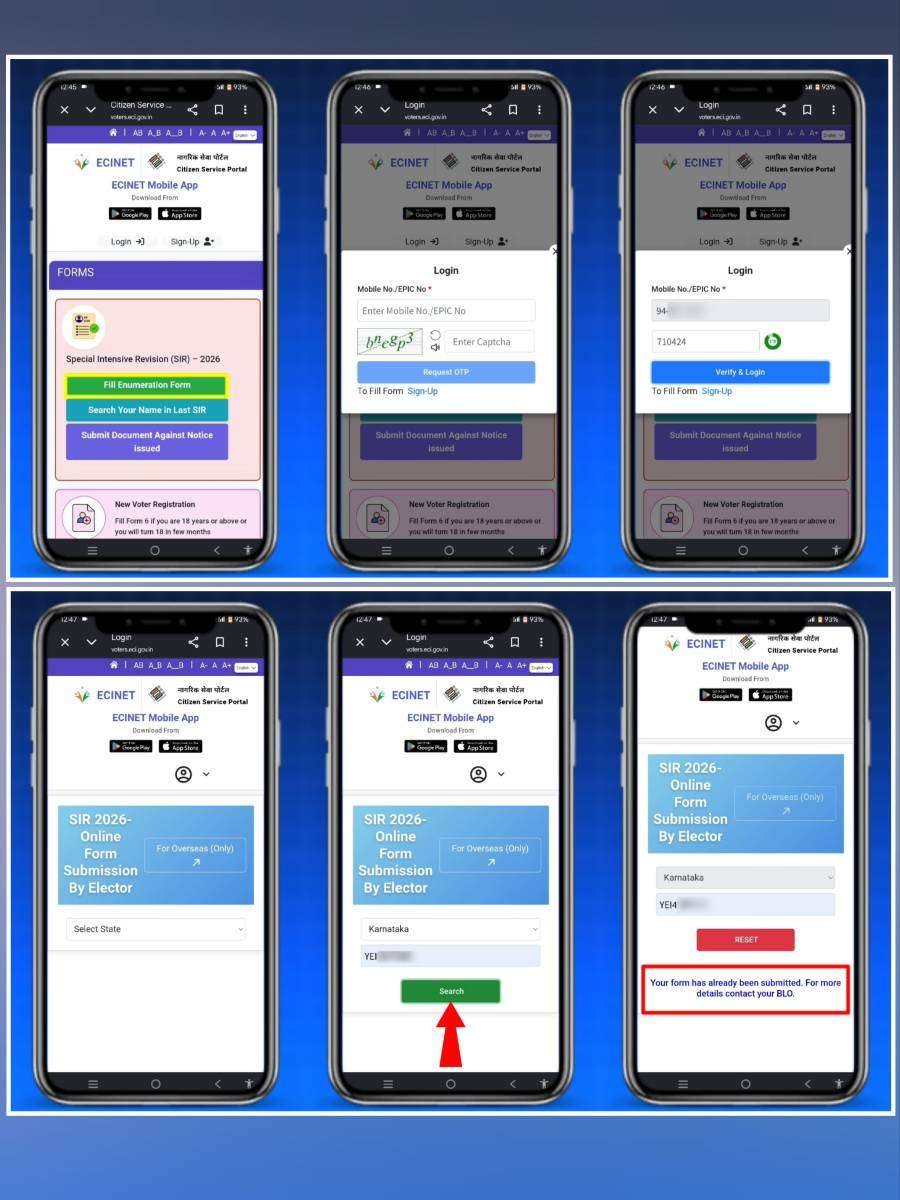
- Open the official Election Commission of India Citizen Service Portal.
- Navigate to the Special Intensive Revision (SIR) 2026 section.
- Select the option named “Fill Enumeration Form.”
- If required, log in using your registered mobile number or EPIC (Voter ID) number along with OTP verification.
- Select your State from the dropdown list.
- Enter your EPIC (Elector Photo Identity Card) number.
- Click the Search button.
The portal will now verify your voter details and display the current status of your Enumeration Form.
Understanding the Result
If the system displays the following message:
“Your form has already been submitted. For more details contact your BLO.”
This means that your Booth Level Officer has already submitted your Enumeration Form through the official Election Commission system. Your information has been recorded, and no further online submission is required from your side unless the Election Commission or your BLO requests additional documents or corrections.
What If This Message Does Not Appear?
If the portal does not display the confirmation message and instead allows you to continue filling the Enumeration Form, it may indicate one of the following situations:
- Your BLO has not yet uploaded your form.
- The submission is still being processed.
- Your details have not yet been synchronized with the online portal.
- Additional verification may still be pending.
In such cases, the Election Commission recommends contacting your Booth Level Officer for clarification.
Who Is a Booth Level Officer (BLO)?
A Booth Level Officer is an official appointed by the Election Commission of India to assist voters in maintaining accurate electoral records. Their responsibilities include verifying voter information, collecting forms, checking supporting documents, assisting with voter registration activities, and updating voter details whenever necessary.
During the SIR 2026 exercise, the BLO acts as the primary field-level officer responsible for collecting and submitting Enumeration Forms.
READ THIS: Google Account Email Change Feature How to Change Your Gmail Address
Important Things to Remember
- Always use only the official Election Commission website to verify your status.
- Never share your OTP with anyone.
- Keep your EPIC number ready before checking your status.
- If your status shows that the form has already been submitted, there is generally no need to submit another Enumeration Form.
- If any correction is required, contact your Booth Level Officer instead of relying on unofficial sources.
Can You Trust This Online Status?
Yes. The status displayed on the official Election Commission Citizen Service Portal is the authoritative online information available to voters. Since the information comes directly from the Election Commission’s database, it is the most reliable way to confirm whether your Enumeration Form has already been submitted.
However, if you notice any discrepancy or believe that your information is incorrect, you should immediately contact your Booth Level Officer or the concerned Electoral Registration Officer for assistance.
Conclusion
The Election Commission of India has made it simple for voters to verify whether their SIR 2026 Enumeration Form has been submitted. By visiting the official Citizen Service Portal.
Selecting the SIR 2026 Enumeration Form option, entering your State and EPIC number, and checking the displayed status, you can quickly confirm whether your Booth Level Officer has completed the submission.
If the portal displays the message “Your form has already been submitted. For more details contact your BLO,” it confirms that your Enumeration Form has been successfully submitted through the official Election Commission system.
If the confirmation message does not appear, contact your Booth Level Officer for further clarification instead of depending on unofficial information.
For the most accurate and up-to-date information regarding SIR 2026, always rely on the official Election Commission of India Citizen Service Portal and follow instructions issued by the Election Commission.
About The Author