WhatsApp Scheduled Messages Feature: How It Works, Features and Availability
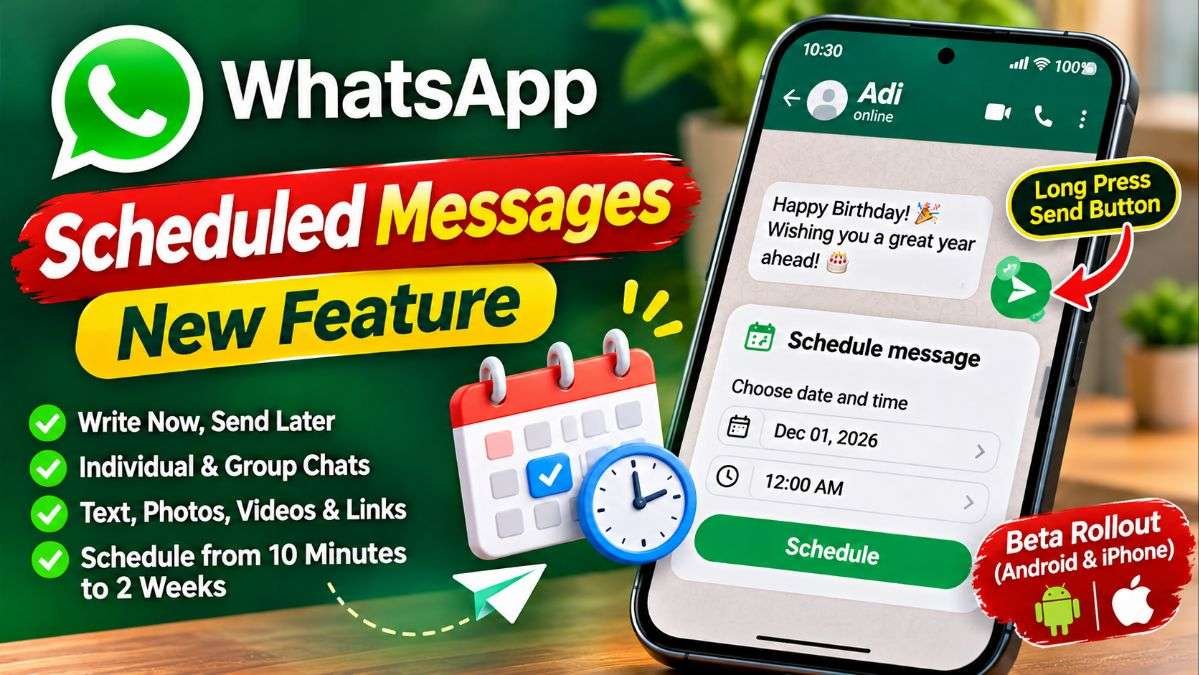
WhatsApp is working on a useful new feature that many users have been waiting for. The upcoming Scheduled Messages feature will allow users to write a message in advance and choose the exact date and time when it should be sent automatically.
This feature can be useful for people who regularly send birthday wishes, office reminders, business updates, meeting notifications and other important messages. Instead of remembering to send a message at a particular time, users will be able to prepare it earlier.
According to recent beta-testing reports, WhatsApp has started rolling out this feature to selected Android and iPhone beta users. However, it is not available to everyone yet.
What Is the WhatsApp Scheduled Messages Feature?
Scheduled Messages is a feature that allows WhatsApp users to prepare a message and set a future delivery time. WhatsApp will automatically send the scheduled message when the selected time arrives.
For example, imagine that your friend’s birthday is tomorrow. You can write a birthday message today and schedule it for midnight. WhatsApp will send the message at the selected time without requiring you to open the chat and press the send button again.
This feature is designed to make communication easier and help users avoid forgetting important messages.
READ THIS: Karnataka Nandini Milk Price Hike 2026: New Prices
How Does WhatsApp Message Scheduling Work?
The scheduling process is expected to be simple. Users can open an individual or group conversation, write a message and select a future delivery time.
According to the beta feature reports, users can follow these steps:
- Open WhatsApp on your smartphone.
- Select an individual chat or group conversation.
- Type the message you want to send.
- Press and hold the Send button.
- Select the Schedule Message option if it is available.
- Choose your preferred date and time.
- Review the selected delivery time and confirm.
After confirmation, the message will appear in the scheduled messages section. WhatsApp will send it automatically at the selected time.
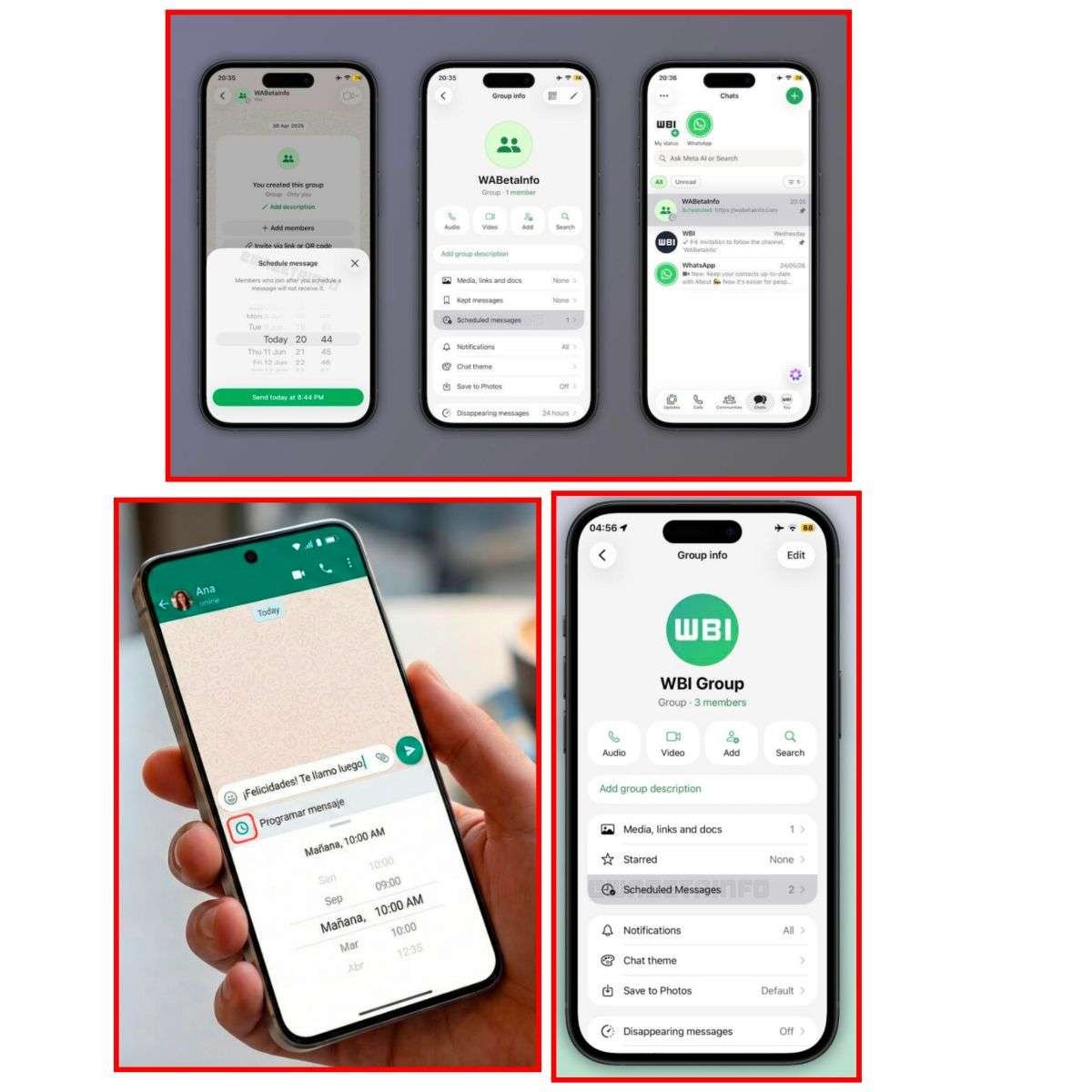
Important: These instructions are based on the beta version currently being tested. The final interface may change before the public release.
How Far in Advance Can You Schedule Messages?
One interesting part of this feature is its scheduling time limit.
According to the current beta reports, WhatsApp allows users to schedule messages between 10 minutes and two weeks in advance.
- Minimum scheduling time: 10 minutes in advance.
- Maximum scheduling time: Two weeks in advance.
For example, users can schedule a message for later in the day, the next morning or a friend’s birthday within the next two weeks.
Which Types of Messages Can Be Scheduled?
The feature is not limited to ordinary text messages. Current beta reports indicate support for several types of content.
- Text messages
- Website links
- Photos
- Videos
However, users cannot currently schedule multiple photos or videos together as one scheduled message. Each media item needs to be scheduled separately. Document scheduling has not been confirmed in the current reports.
READ THIS: Google Selfie Video Account Recovery New Security Feature
Can You Schedule Messages in WhatsApp Group Chats?
Yes. The feature is designed to support both individual conversations and group chats.
This can be useful for sending group announcements, event reminders, birthday wishes and important updates at a particular time.
There is one important limitation. According to the beta reports, a scheduled group message will reach only the members who were already part of the group when the message was scheduled. People who join the group afterwards will not receive that scheduled message.
Can You Delete a Scheduled Message Before It Is Sent?
Yes. WhatsApp is also testing a dedicated section where users can view and manage their scheduled messages.
Users will be able to open the chat information screen and find their scheduled messages. If they change their mind, they can delete a message before its delivery time.
Another useful detail is that the recipient will not receive a notification when the sender deletes a scheduled message before delivery.
Will Scheduled Messages Work Without an Internet Connection?
This is one of the most interesting aspects of the new feature.
According to the current beta-testing reports, scheduled messages can be delivered even when the sender’s phone is offline or the WhatsApp application is closed.
This means users may not need to keep WhatsApp open until the scheduled delivery time. However, actual delivery can still depend on the service and network conditions at the time of sending.
Will WhatsApp Scheduled Messages Be Secure?
Privacy and security are important when sending personal messages through WhatsApp.
Current reports indicate that scheduled messages support WhatsApp’s end-to-end encryption. This is designed to protect message content so that only the intended participants can read it.
Users should still follow normal online safety practices and avoid sharing passwords, banking information or other sensitive details through ordinary chats.
When Will WhatsApp Scheduled Messages Be Available to Everyone?
WhatsApp has started testing the feature with selected beta users on Android and iPhone.
According to WABetaInfo’s reports, the feature appeared in the following compatible beta versions:
- Android: WhatsApp Beta version 2.26.40.7.
- iPhone: WhatsApp Beta version 26.42.10.19.
These version numbers identify updates associated with the feature. They do not guarantee that every user installing the same version will receive access.
WhatsApp has not announced a confirmed public release date. The feature is being made available gradually to selected beta testers, and its availability may vary between accounts.
How to Check Whether the Feature Is Available on Your Phone
Android and iPhone users can check whether the scheduling option has appeared in their WhatsApp application.
- Open the Google Play Store or Apple TestFlight, depending on your device and beta participation.
- Check whether a WhatsApp update is available.
- Install the latest compatible update.
- Open an individual or group chat.
- Type a message and press and hold the Send button.
- Check whether the Schedule Message option appears.
If the option is missing, it does not necessarily mean that your phone has a problem. WhatsApp controls the rollout, and not every beta tester receives new features at the same time.
There is currently no confirmed official method to manually activate the feature. Avoid unofficial modified applications such as GB WhatsApp to access it.
READ THIS: WhatsApp Status Caption Edit Feature How to Edit Status Captions Without Deleting the Status
Why Is This Feature Useful?
Scheduled Messages can make everyday communication more convenient.
- Students: Send study group reminders and important updates at the right time.
- Employees: Prepare meeting reminders and work-related messages in advance.
- Business owners: Plan customer communication and appointment reminders.
- Content creators: Prepare announcements for their communities.
- Personal users: Remember birthdays, celebrations and special occasions.
Instead of depending on memory or setting separate reminders, users can prepare their messages ahead of time.
Conclusion
WhatsApp Scheduled Messages could become a useful addition to everyday messaging. The feature will help users prepare messages in advance and send them automatically at a selected date and time.
Support for individual chats, group conversations, text messages, photos, videos and links makes this feature useful for personal and professional communication.
However, it is important to remember that the feature is still in its beta rollout stage. Not every Android or iPhone user can access it yet, and WhatsApp has not confirmed a general public release date.
Users should keep their official WhatsApp application updated and wait for the feature to become available on their accounts.
Stay connected with our website for more technology news, smartphone updates, digital tips and useful information.
About The Author